We now introduce a new feature that allows you to freely add, delete, and modify desired elements using only text, based on a reference image - Anchoring Reference.
 What is Anchoring Reference?
Anchoring Reference is a text-based image re-editing tool that uses a single image as a reference point, allowing you to freely adjust everything from detailed element editing to overall style changes using only text prompts.
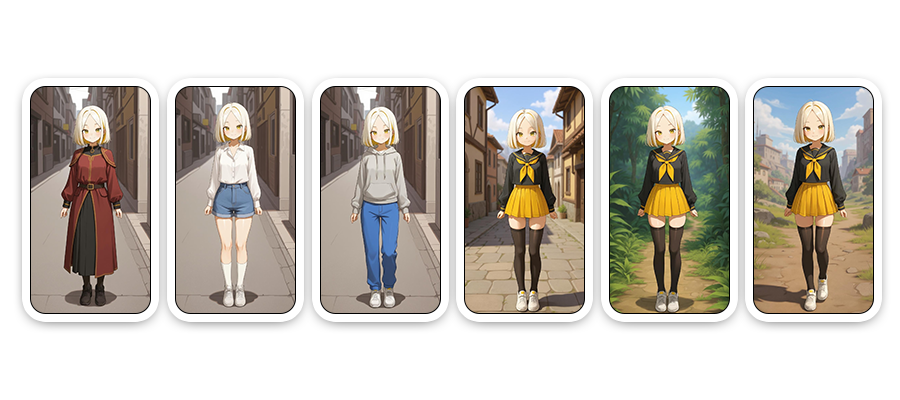
When is a good time to use Anchoring Reference?
- When you want to change an existing image into a new atmosphere or structure.
- When you want to imagine various versions of characters, backgrounds, or worldviews.
- When you want to try different styles, compositions, or elements based on your own references
- When you need to expand ideas for creative work or for visual brainstorming.
 How to Use Anchoring Reference
1. Go to [Anchoring Reference]
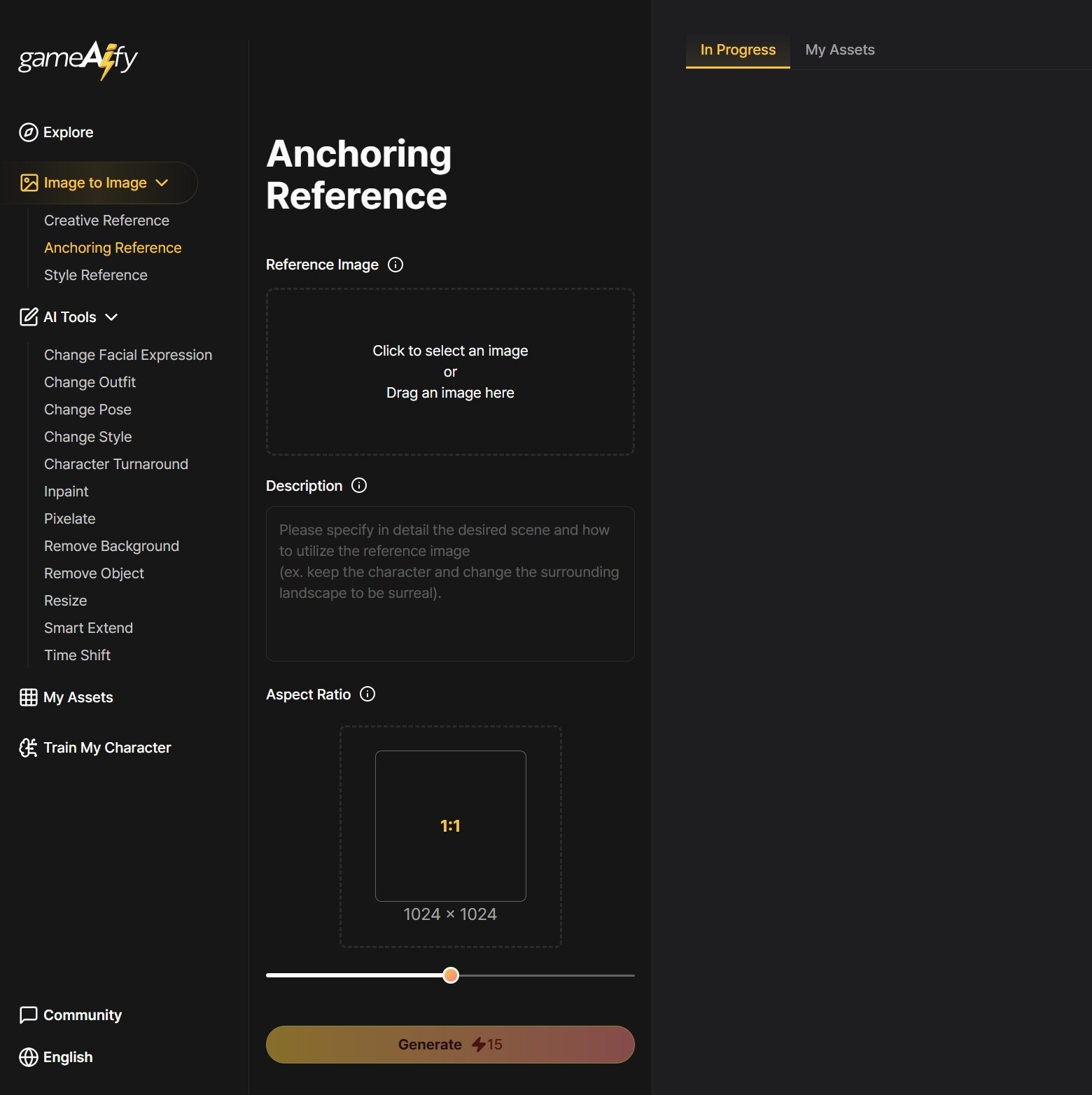
2. Upload a reference image
- Upload the image you want to edit or use as a base reference.
3. Enter additional text prompts
- Write out your desired modifications in natural language.
ex)
- Leave the person as is, change the background to a snowy winter forest.
- Add a black cat next to the girl and change her dress to red.
- Set aspect ratio
- Set your desired image ratio.
- Portrait: Images with a large vertical ratio, such as mobile vertical backgrounds or characters.
- Square: Images with a 1:1 ratio, such as characters, objects, or icons.
- Landscape: Images with a long horizontal shape, such as backgrounds.
Click “Generate”
- The AI will automatically analyze and reconstruct to generate the resulting image.